


- Description
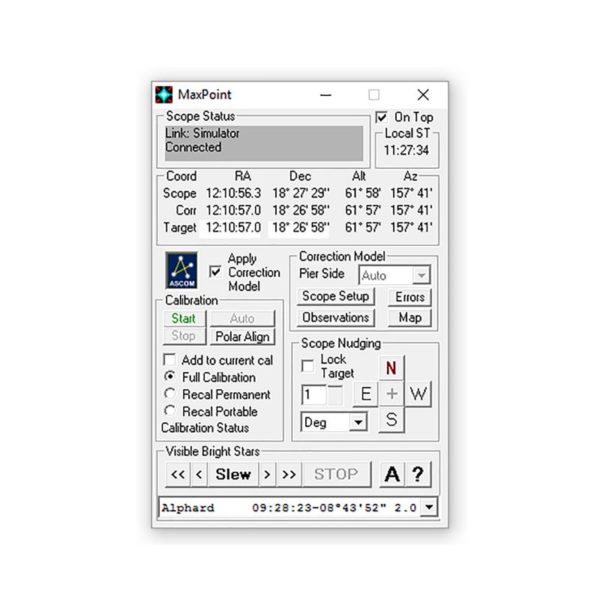
Cyanogen Imaging® MaxPointTM measures and corrects for errors in your telescope mount and its alignment. If you’re wasting dark skies hunting around looking for your target, MaxPoint is the simple and effective solution that puts your object right in the center of the field.
Cyanogen Imaging® MaxPointTM
Tired of hunting around for your target? MaxPoint is designed to solve this problem through mount modelling. When you first set up MaxPoint, it creates a model of your telescope mount, including any polar axis misalignment, offsets, and mechanical flexure. Once this is done, MaxPoint automatically corrects your telescope position to ensure it is always on-target. With MaxPoint, even very low-cost GOTO mounts can routinely achieve a pointing accuracy of 1-2 arc-minutes over the whole sky!

MaxPoint works with any ASCOM-compliant telescope control program such as MaxIm DL and Starry Night Pro Plus 6.
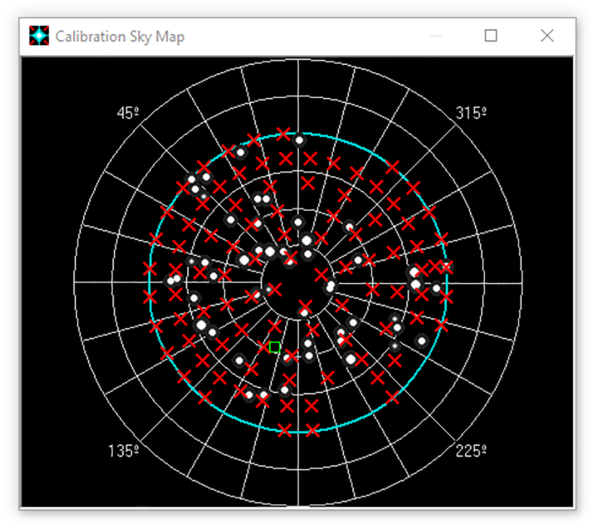
The telescope model is easily generated using one of two methods. The first is to manually make a series of observations. Simply double-click on a reference star on the sky map. After MaxPoint slews to the star, center it in the telescope and click “+” to add the observation. Repeat this for a number of stars across the sky, and you’re done!
 If you have MaxIm DL, this process can be completely automated. MaxPoint slews the telescope to a series of points across the sky, takes images using MaxIm DL, and then automatically calculates the pointing offset using the included PinPoint LE measuring engine. Just sit back and watch!
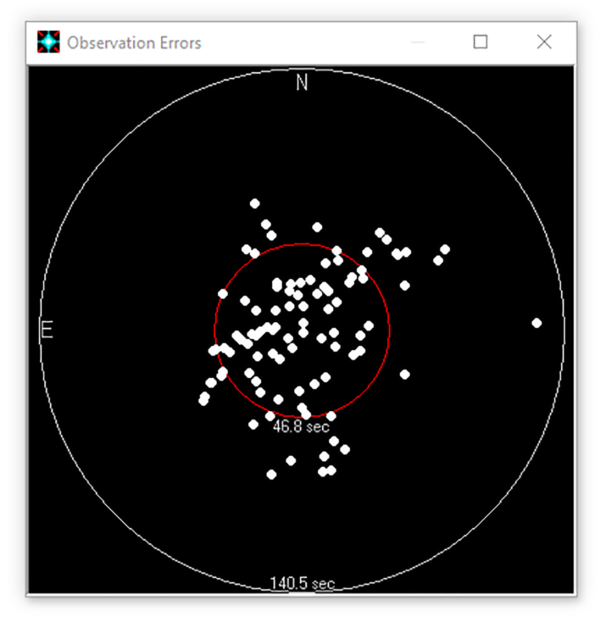
Once a model has been defined, MaxPoint lets you see exactly what the errors in your telescope mount are, including a direct measurement of your polar alignment error.
MaxPoint includes a complete ASCOM-Compliant scripting interface, so you can quickly and easily integrate it with your own programs or scripts.Also available as part of the MaxIm DL Pro Suite.
Quickly see where the telescope is pointed (green square). Observation points are shown with red X’s. Click on a calibration star to automatically point the telescope.
The image at left shows the measured residual pointing errors for an inexpensive GOTO mount. Despite large pointing errors across the sky, after MaxPoint correction the RMS error is less than one arc-minute.
MaxPoint is included with MaxIm DL Pro Suite.
The ASCOM Platform must be installed in order to run MaxPoint.
Please note that all software sales are final. No refunds are given on software products. A free demo period with full technical support is available to determine suitability of the software prior to sale.
You may also like
Recently viewed
Recent Blog Posts
View all
Your Guide Graph Is Lying to You
Read More
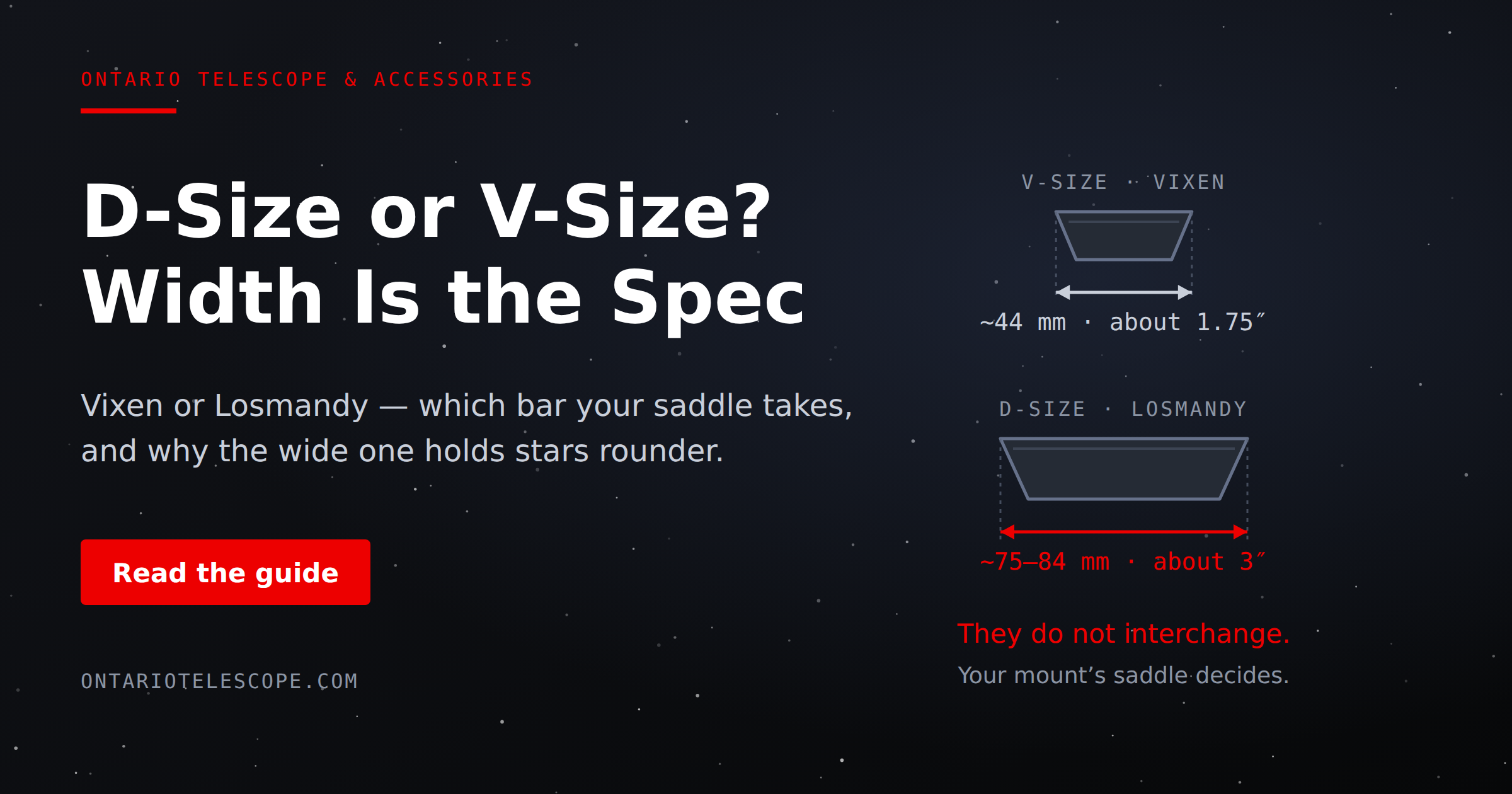
D-Size vs V-Size: A Complete Guide to Telescope Dovetail Systems
Read More
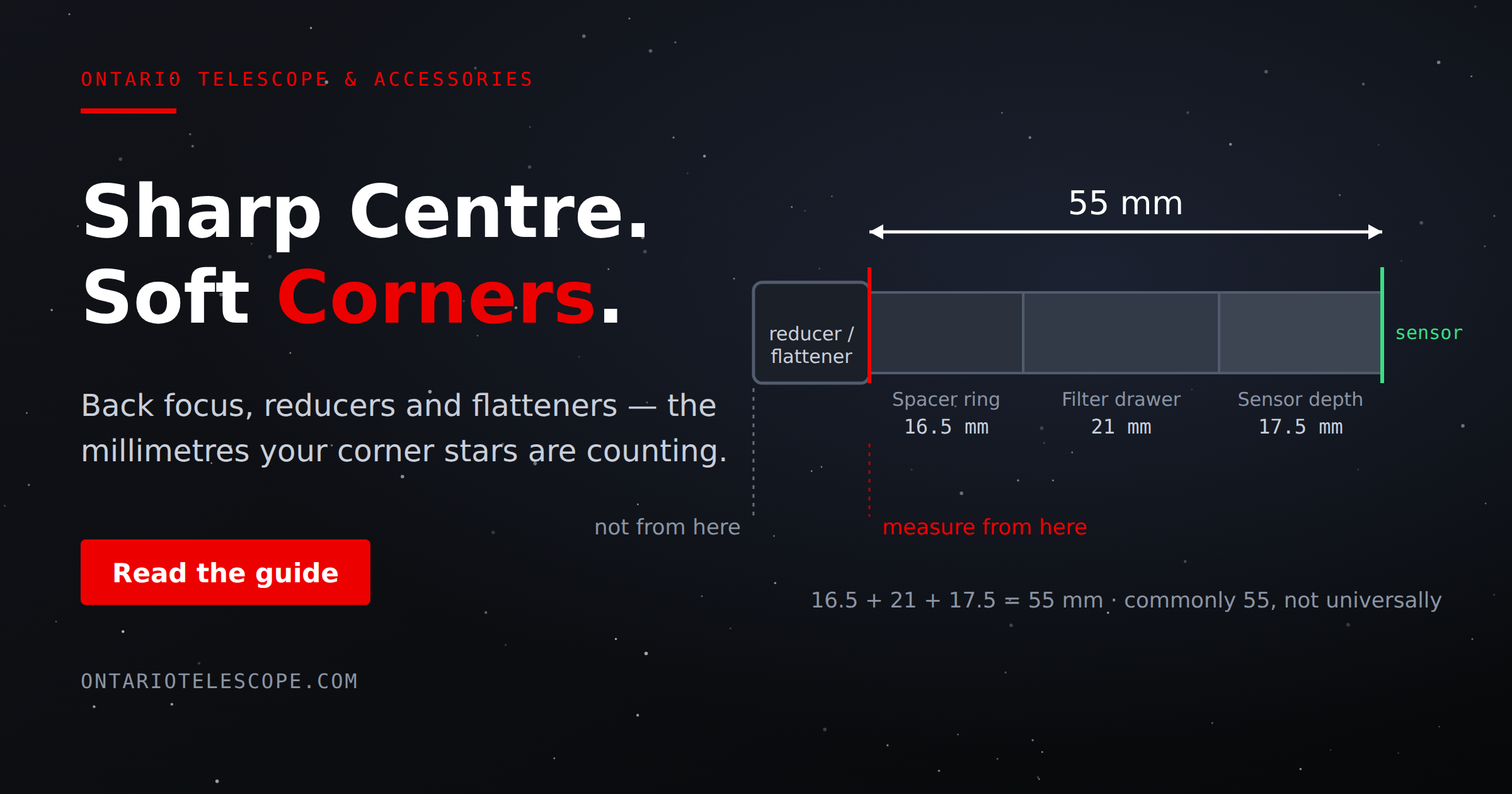
What Is Back Focus in Astrophotography? Telescope Reducers, Flatteners, and Spacing Explained
Read More